WSCC - Windows System Control Center 10.0.5.2 is an invaluable freeware application designed to streamline the management of essential system utilities. This robust tool allows users to effortlessly install, update, execute, and meticulously organize programs from popular suites like Microsoft Sysinternals and NirLauncher. Its primary appeal lies in its ability to centralize a vast array of diagnostic and troubleshooting tools into a single, cohesive interface, eliminating the need to manage individual installations. The application is also fully portable, requiring no installation, which makes it an ideal choice for IT professionals and users who need to maintain multiple Windows 11, 10, 8, or 7 systems with ease and efficiency. Released on November 21, 2026, it boasts a compact size of 6 MB and has been downloaded over 188,000 times.
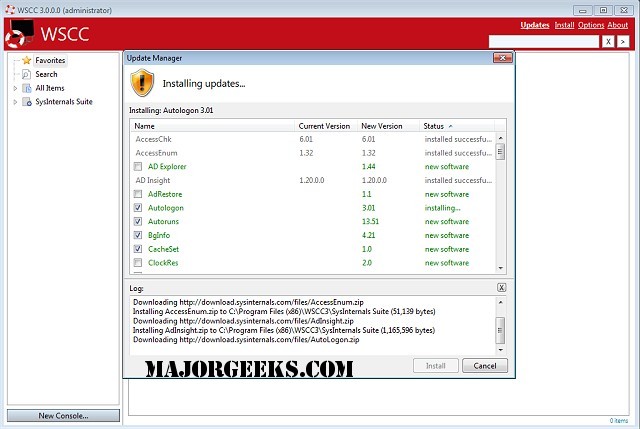
One of WSCC's most compelling features is its automatic management capability. It can seamlessly install and update all supported utilities, ensuring that users always have access to the latest versions without manual intervention. This not only saves significant time but also guarantees that system diagnostics and troubleshooting are performed with the most current and effective tools available. Alternatively, WSCC offers the flexibility to download and run programs via HTTP, catering to various user preferences and network configurations. With a modest footprint of just 6 MB, this application delivers powerful functionality without taxing system resources, making it a highly efficient solution for comprehensive system control across supported Windows versions.
Beyond its technical prowess, WSCC provides a user-friendly experience that simplifies complex system tasks. By bringing together disparate utility suites under one roof, it dramatically reduces the learning curve and operational overhead associated with managing numerous specialized tools. Whether you are a casual user looking to optimize your PC or an experienced administrator requiring quick access to advanced diagnostics, WSCC offers a clean and intuitive interface. Its commitment to providing a free and portable solution underscores its value, solidifying its position as a go-to application for maintaining a healthy and efficient Windows environment across various versions from 7 to 11.
DOWNLOAD WSCC - Windows System Control Center (32-Bit)DOWNLOAD WSCC - Windows System Control Center (64-Bit)
DOWNLOAD WSCC - Windows System Control Center @MajorGeeks (32-Bit)
DOWNLOAD WSCC - Windows System Control Center @MajorGeeks (64-Bit)